
Easy Voice Calculator1.3.1 - Google Play
You'll be able to see results in few seconds.
Publisher Description
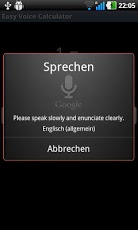
A Calculator with speech input and output!
Only in English and German right now, so language of speech recognition and output must be set to English or German in the system settings.
These are the only languages officially tested and supported, but try experimenting with the language settings.
Easy to use:
- Start the app
- Speak into the mic
- Input (for checking) and result is shown
- if you click on the result text, it is spoken to you
FREE Version: contains ads
Full version: no ads
Words and phrases that are understood:
"plus", "and", "minus", "take away", "times", "divided by", "divide", "by", "squared", "square", "cubed", "cube", "to the power of", "to the", "power", "sine of", "cosine of", "sine", "cosine", all numbers and "point"...
So try to say "three thousand four hundred sixty-five point seven eight nine one times five point six times sine of two times 4 power 2" and it will calculate (in the mathematically correct order of course) the result!
If you want the result to be read, click on it.
ATTENTION:
For Text to speech (TTS) services to function properly, the device must have both the TTS engine and the appropriate language resource files. In some cases, the user must install the appropriate voice language resource files. The users can install TTS voice resources from the system settings at:
Settings, Voice input & output settings, Text-to-speech, Install Voice Data.
About Easy Voice Calculator
The company that develops Easy Voice Calculator is Thomas Berk. The latest version released by its developer is 1.3.1.
To install Easy Voice Calculator on your Android device, just click the green Continue To App button above to start the installation process. The app is listed on our website since 2011-11-27 and was downloaded 0 times. We have already checked if the download link is safe, however for your own protection we recommend that you scan the downloaded app with your antivirus. Your antivirus may detect the Easy Voice Calculator as malware as malware if the download link to com.tberk.easyvoicecalculator is broken.
How to install Easy Voice Calculator on your Android device:
- Click on the Continue To App button on our website. This will redirect you to Google Play.
- Once the Easy Voice Calculator is shown in the Google Play listing of your Android device, you can start its download and installation. Tap on the Install button located below the search bar and to the right of the app icon.
- A pop-up window with the permissions required by Easy Voice Calculator will be shown. Click on Accept to continue the process.
- Easy Voice Calculator will be downloaded onto your device, displaying a progress. Once the download completes, the installation will start and you'll get a notification after the installation is finished.
Program Details
System requirements
Download information
Pricing
Version History
version 1.3.1
posted on 2011-11-27
Several fixes and updates
version 1.3.1
posted on 2011-11-27
1.3.1: better understands digits after comma, separate digits combined to one number,Version 1.3:,- say "last" / "result" / "last result" / "Ergebnis" (bei Deutscher Spracheingabe) to use the last result in the next calculation! Nice for adding up numbers...,- better recognition for some words,1.2.1: Bugfix,Version 1.2: Square root / Root /Wurzel aus / Wurzel is understood and calculated!
Disclaimer
Official Google Play Link
We do not host Easy Voice Calculator on our servers. We did not scan it for viruses, adware, spyware or other type of malware. This app is hosted by Google and passed their terms and conditions to be listed there. We recommend caution when installing it.
The Google Play link for Easy Voice Calculator is provided to you by apps112.com without any warranties, representations or guarantees of any kind, so access it at your own risk.
If you have questions regarding this particular app contact the publisher directly. For questions about the functionalities of apps112.com contact us.
